
HRMS Software That Simplifies Your Entire Employee Lifecycle
HR360 brings employee management, onboarding, attendance, leave, payroll, performance and HR operations into one connected platform — with a real HR team available through the HR Action Desk when you need support.
- Indian Payroll
- Employee Lifecycle
- HR Action Desk
- ATS Optional
Everything HR Needs.
One Connected Platform.
Employee Management
Centralised employee records and lifecycle management from a single source of truth.
Attendance & Leave
Track attendance, shifts and leave in one system — connected to payroll.
Payroll
Manage payroll workflows and statutory calculations for Indian businesses.
Onboarding
Digitise employee onboarding and documentation from offer to Day 1.
Performance
Manage goals, performance and appraisal workflows in one place.
HR Operations
Centralise HR requests, policies, documents and workflows.
What Is HR360?
HR360 is an all-in-one HRMS and workforce management platform that helps Indian businesses manage employees, attendance, leave, payroll, onboarding, performance and HR operations from one connected system.
Unlike software-only HR platforms, HR360 also includes access to OmniHire’s HR Action Desk for structured HR support and request resolution.
Need recruitment as well? OmniHire ATS can be enabled as an optional module — HR360 runs as a complete HRMS with or without it.
One Data Layer
Employee, attendance, leave and payroll data stay connected — no re-entry, no silos.
Indian Payroll Built-In
PF, ESIC, Professional Tax and TDS workflows designed for Indian businesses.
HR Action Desk
Raise HR requests and have them handled by OmniHire’s HR team through defined workflows.
Manage the Complete Employee Lifecycle
One record follows every employee from hire to exit — with the right module available at each stage.
- Step 1
Hire
Optional OmniHire ATS
- Step 2
Onboard
Digital onboarding & documentation
- Step 3
Track
Attendance, shifts & leave
- Step 4
Pay
Payroll & statutory deductions
- Step 5
Grow
Performance & goals
- Step 6
Manage
Policies, documents & HR requests
- Step 7
Exit
Offboarding & full-and-final
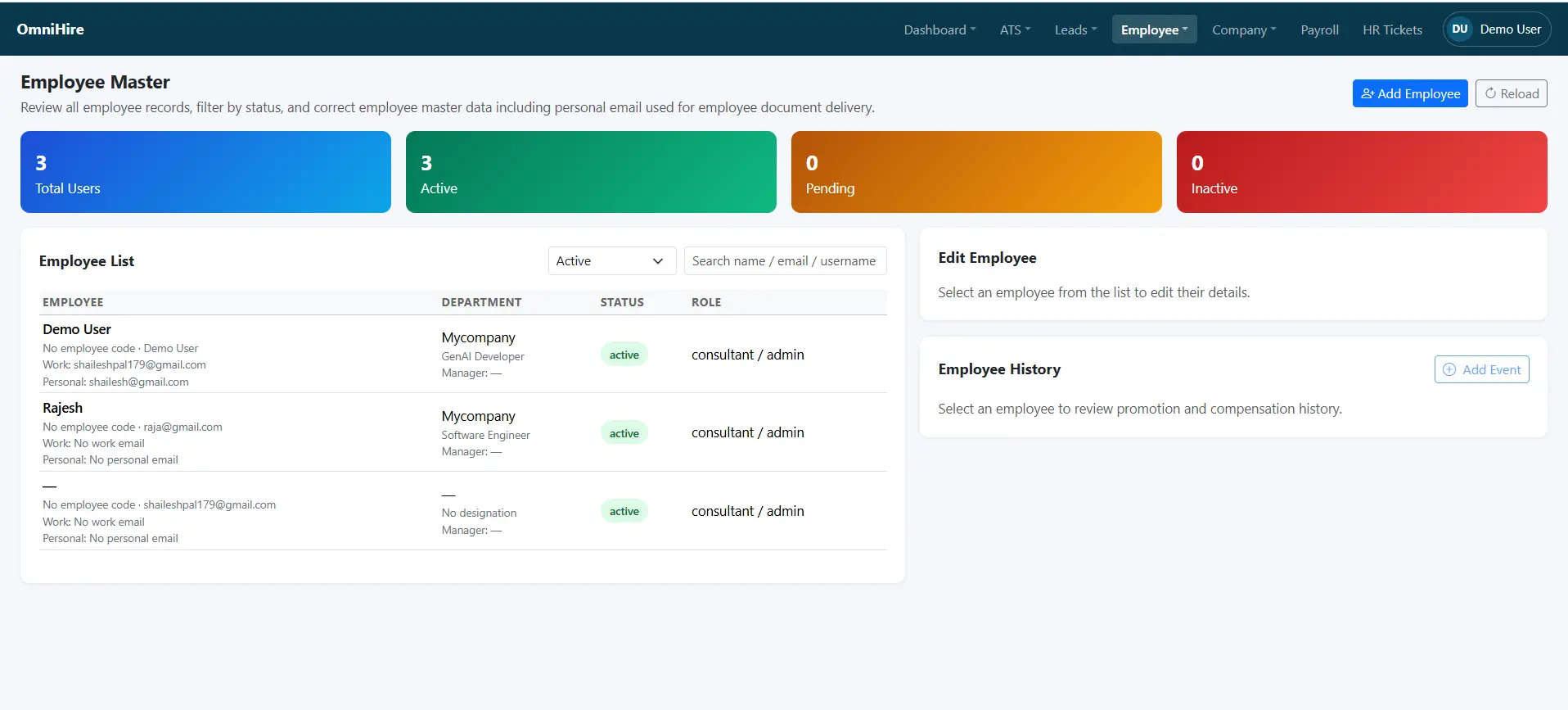
Complete Employee Management From One Place
Every employee record — profile, employment details, department, reporting structure, documents and history — lives in one place.
- Employee profiles and employment details
- Departments and designations
- Reporting hierarchy and manager views
- Employee documents and lifecycle status
- Employee history across roles and salary changes
Attendance & Leave Without the Spreadsheets
Track employee attendance, shifts and leave while keeping HR and payroll data connected.
Mobile Attendance
Punch-in and punch-out from mobile where supported.
Geofencing
Location-aware attendance where supported.
Shift Management
Configure shifts and track attendance against them.
Leave Requests
Apply, approve and track leave with a configurable policy engine.
Leave Approvals
Manager approvals with clear history.
Holiday Calendar
Publish holidays across the organisation.
Regularisation
Raise and approve attendance regularisation requests.
Payroll-Ready Data
Attendance and leave flow into payroll calculations.
Payroll Software Built for Indian Businesses
Simplify payroll workflows by connecting employee, attendance and leave data with payroll calculations and payslip generation.
PF
Provident Fund calculations and workflows where supported.
ESIC
ESIC calculations and workflows where supported.
Professional Tax
State-specific handling where supported.
TDS
Tax deduction workflows and applicable calculations.
Payslips
Generate and manage employee payslips.
Full & Final
Support employee exit and settlement workflows.
Indian Payroll & Statutory Compliance
HR360’s payroll module supports calculations and workflows for Provident Fund (PF), ESIC, Professional Tax and TDS, along with payslip generation and full-and-final settlement support for exiting employees. Statutory handling depends on your configured salary structures and applicable rules — HR360 does not guarantee compliance outcomes and recommends verification with a qualified professional. See our HR compliance resources and payroll software guide.
Make Employee Onboarding Simple
Offer → Documents → Verification → Employee Setup → Day 1 → Active Employee.
Offer
Offer and appointment letter issuance.
Documents
Document collection and admin review.
Setup
Employee profile creation and joining checklist.
Activation
Account activation and digital records.
Turn Performance Management Into a Continuous Process
Manage goals, KPIs, manager reviews and appraisal cycles in one place. Live capabilities are labelled, and features still being enhanced are clearly marked.
- Live Goals, KRA and KPI configuration
- Live Manager views and performance tracking
- Improving Appraisal cycles and summaries
Track Time, Work & Productivity
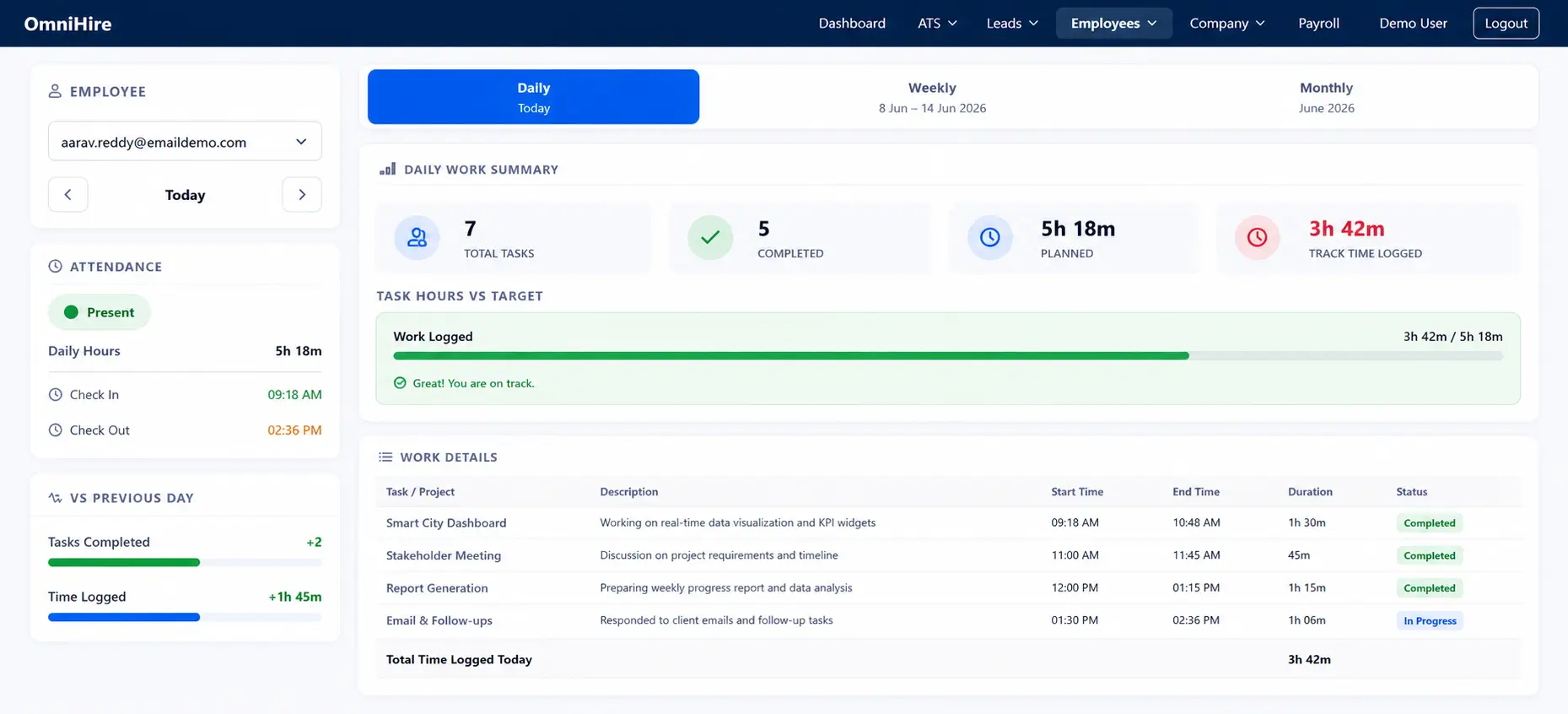
Capture time entries, planned versus actual hours and how work links back to projects or campaigns.
Timesheet Entry
Daily timesheet capture for individuals and teams.
Planned vs Actual
Compare planned effort with actual hours logged.
Activity Tracking
Record activities and how time is spent.
Project Linkage
Link time to projects or campaigns where configured.
Approval Workflows
Improving Manager approvals on submitted timesheets.
Billable Classification
Coming Soon Billable and non-billable tagging.
Keep HR Documents & Policies Organised
Publish policies, collect employee documents and keep acknowledgements and expiry dates under control.
- Policy library for company-wide documents
- Employee document storage
- Version control for updated policies
- Acknowledgement tracking
- Expiry reminders for time-bound documents
- Employee access to relevant documents
AI Policy Assistant
An AI assistant to help employees find answers from your approved policy documents is being developed. When available, unresolved questions will be routed to the HR Action Desk.
Status: Not currently available. Contact the OmniHire team for the latest roadmap.
More Than HR Software. Get Human HR Support.
HR360 combines HR software with a structured HR Action Desk, so your team can raise HR requests and get them handled by OmniHire’s HR team according to defined workflows and service levels.
How a Request Flows
- 1
Raise
Employee or admin raises an HR request.
- 2
Categorise
Request is categorised by type.
- 3
Assign
Assigned to the HR team.
- 4
Review
HR team reviews and works the request.
- 5
Resolve
Resolution applied to the underlying record.
- 6
Close
Documented and closed with a clear outcome.
Example Requests
Attendance Correction
Fix incorrect punches or attendance status.
Payroll Query
Questions or corrections relating to payroll.
Document Correction
Correct employee documents or HR letters.
Leave Exception
Special cases outside standard leave policy.
Exit Support
Assistance with offboarding and settlement queries.
Response times and service levels depend on the plan. Contact the OmniHire team for current details.
Why HR360 Goes Beyond Traditional HR Software
Software when you need it. HR support when you need people.
| Area | Traditional HR Software | HR360 |
|---|---|---|
| Delivery model | Software platform | Software plus managed support |
| HR execution | Internal HR handles everything | HR Action Desk available |
| Support style | Generic support | Structured HR requests |
| Setup | Self-service configuration | Guided onboarding |
| Request outcome | Ticket closure | Documented resolution where applicable |
Need Recruitment Too? Add OmniHire ATS.
HR360 can operate as a complete HRMS without ATS. If your business actively hires, OmniHire ATS can be enabled as an additional recruitment module.
Explore OmniHire ATSModule Toggle
- HR360 Core On
- Attendance On
- Payroll On
- HR Operations On
- OmniHire ATS Optional
Who Is HR360 For?
Startups
Core HR without unnecessary complexity.
SMEs
HR, attendance, leave and payroll in one platform.
Growing Companies
Standardise HR operations as the organisation scales.
Multi-location Businesses
Centralise employee and workforce processes.
Everything You Need to Run HR
Employee Management
Central employee records and lifecycle.
LiveOnboarding
Digital onboarding and documentation.
LiveAttendance
Mobile punch-in, shifts and geofencing where supported.
ImprovingLeave Management
Requests, approvals and holiday calendar.
LivePayroll
Payroll workflows and statutory calculations.
ImprovingPerformance
Goals, KPIs and appraisal workflows.
ImprovingTimesheets
Time tracking, planned versus actual.
ImprovingDocuments & Policies
Policy library and employee documents.
LiveEmployee Communication
Announcements and acknowledgements.
LiveHR Action Desk
Structured HR request handling by OmniHire’s HR team.
LiveWorkforce Management
Workforce processes across locations and departments.
LiveOptional ATS
OmniHire ATS available as an add-on module.
OptionalSee HR360 in Action
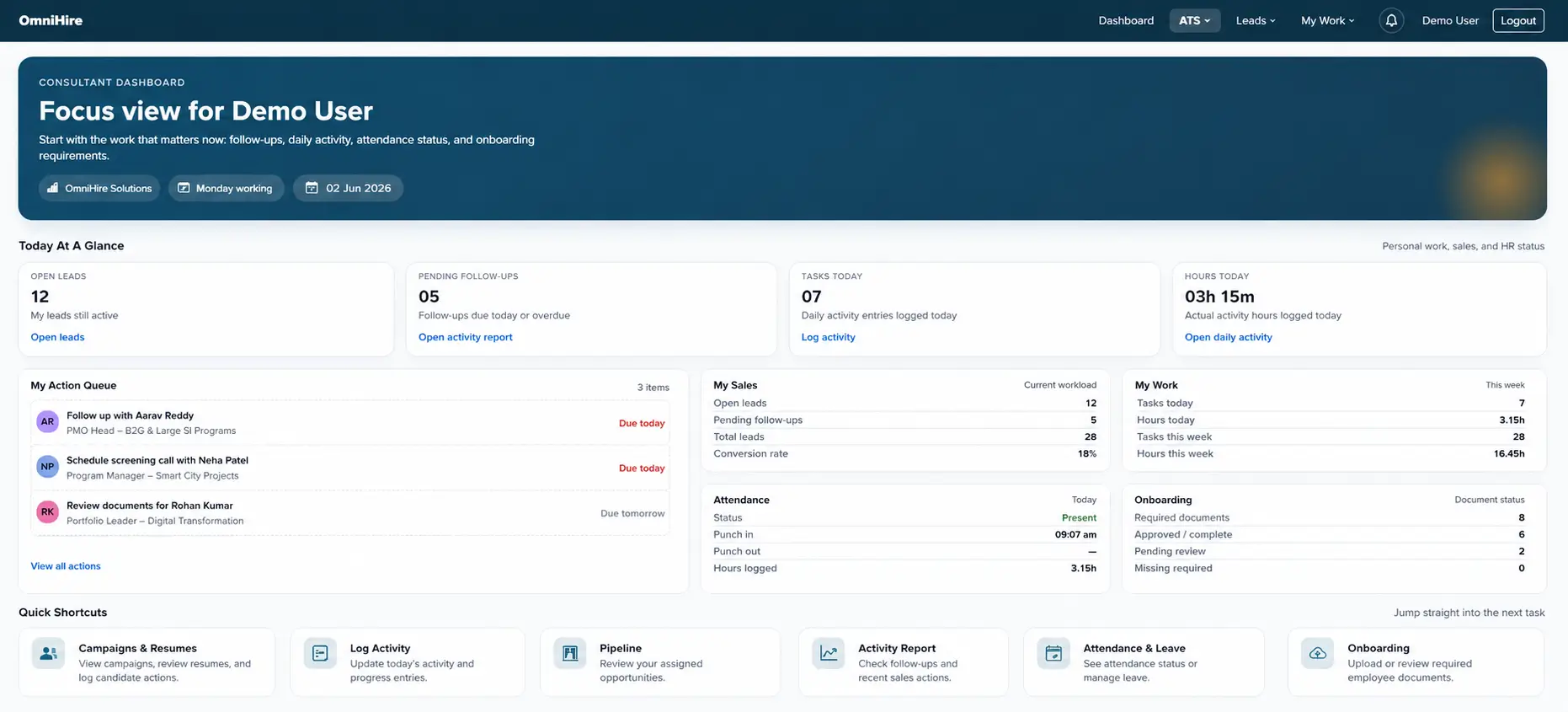
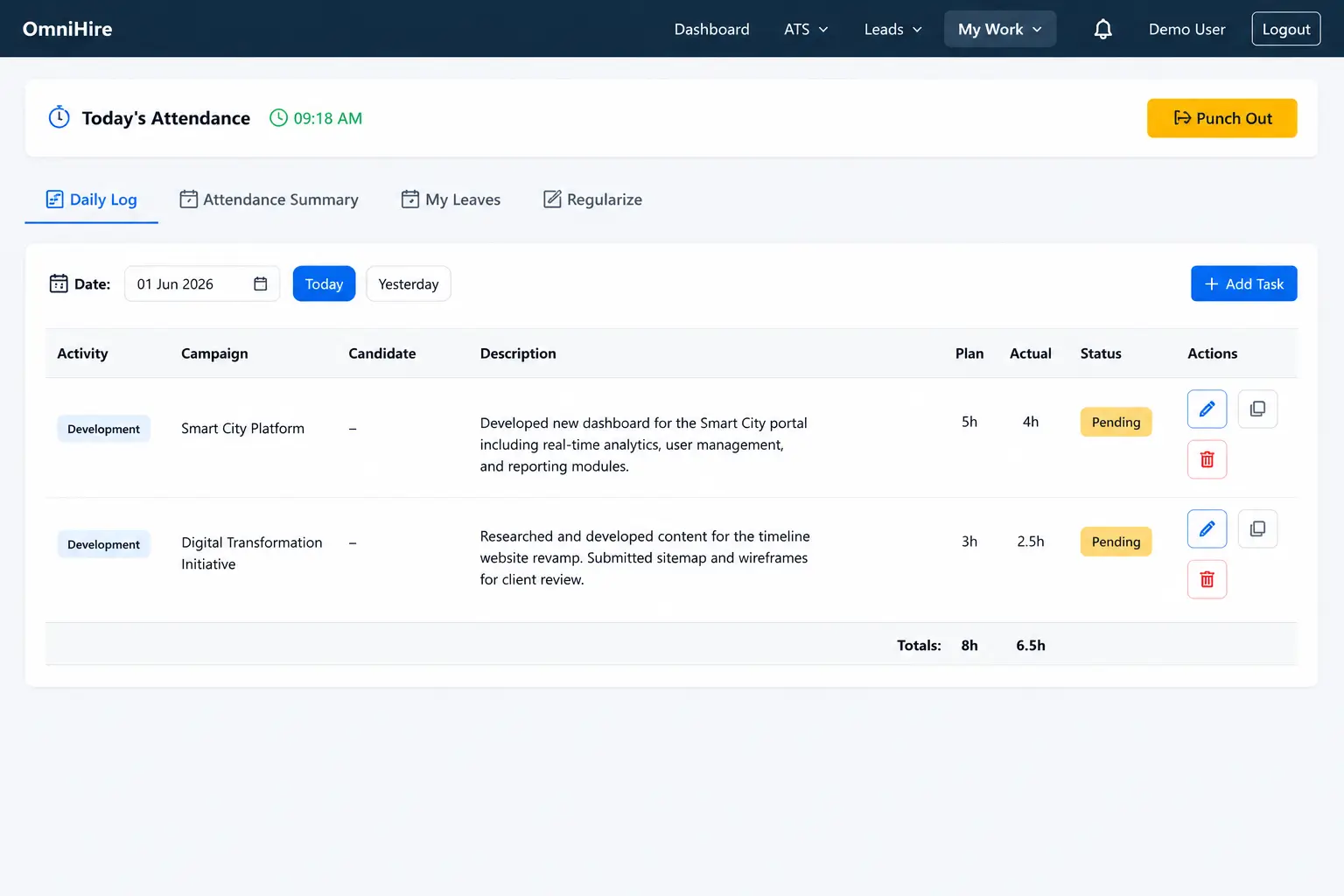
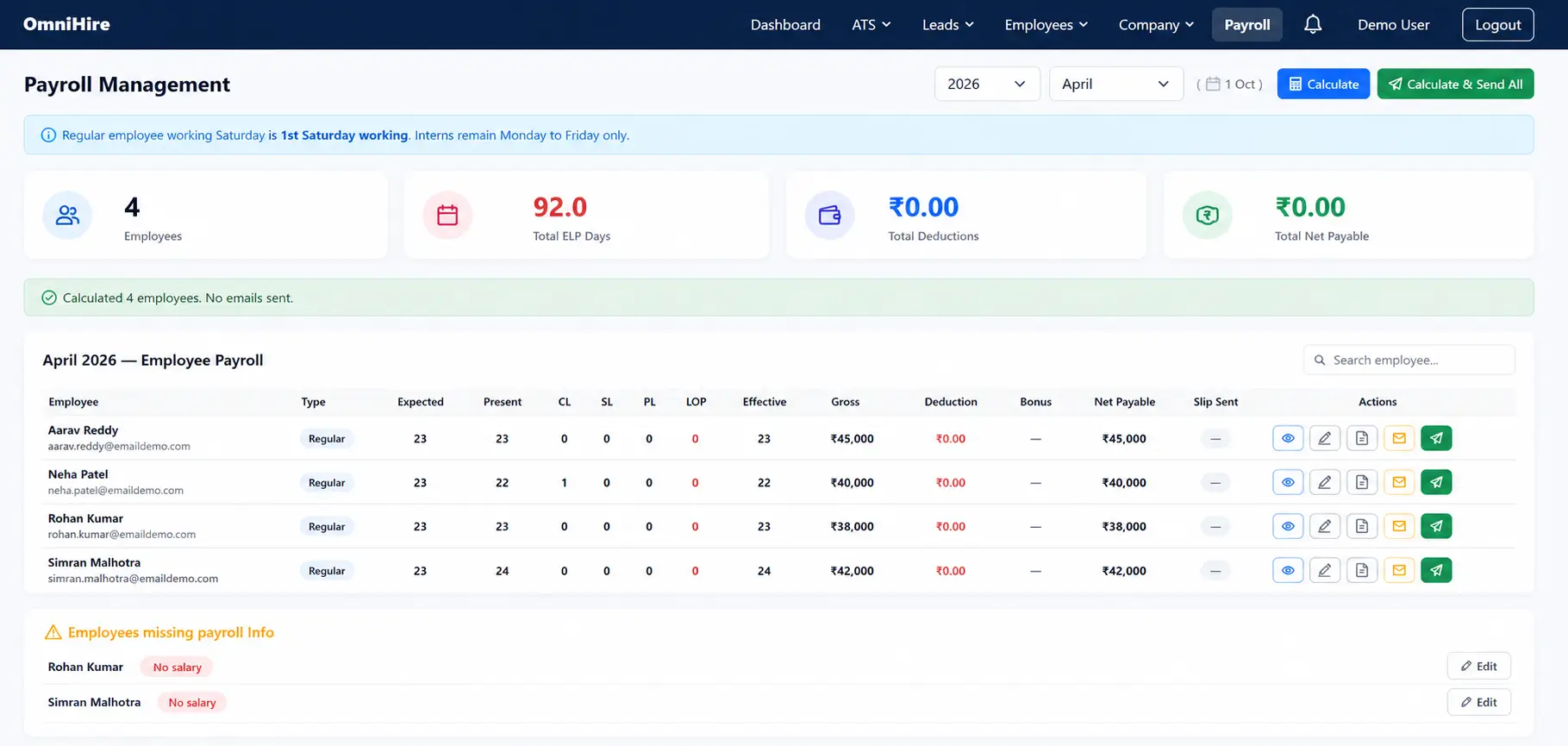
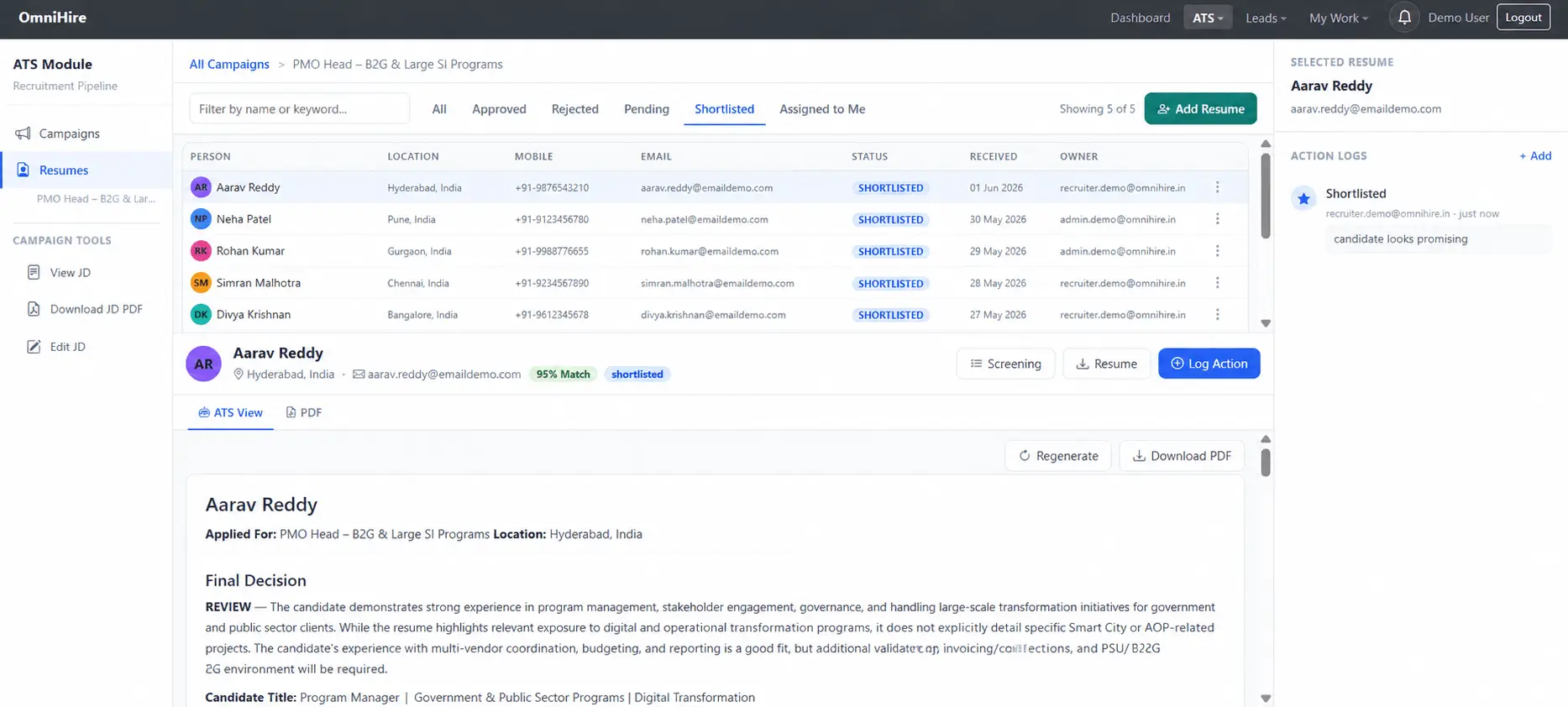
Screenshots are indicative of the product interface. Functionality shown depends on the modules enabled for your account.
Built Around Real HR Workflows
Payroll Month-End
Attendance → Leave → Payroll → Review → Payslip
New Employee
Offer → Documents → Onboarding → Activation
Employee Request
Request → HR Action Desk → Resolution → Closure
Employee Exit
Resignation → Clearance → FnF → Documents → Exit
Start HR360 Without a Long Commitment
Contact the OmniHire team to confirm the current pricing and trial offer for your company size.
Built for Secure HR Data Management
HR360 applies access controls and structured data handling across the platform. Contact the OmniHire team for the current security documentation applicable to your account.
Role-based Access
Access to HR data is governed by role and permission.
Tenant Isolation
Customer data is kept within its own tenant boundary.
Secure Authentication
Authenticated access to the platform and admin functions.
Document Protection
Employee documents stored with access controls.
Audit Trails
Actions recorded within the platform where audit trails are enabled.
Data Handling
Structured handling of employee and payroll data.
Frequently Asked Questions
More from OmniHire
OmniHire ATS
AI applicant tracking as an optional recruitment module.
Explore ATSHR360 Pricing
Plans for startups, SMEs and growing companies.
See PricingHR Compliance
Guides on Indian payroll and statutory compliance topics.
Read GuidesPayroll Software Guide
Understanding payroll software for Indian businesses.
Read GuideAttendance Management
How attendance and leave management software works.
Read MoreWhat is ATS?
An introduction to applicant tracking systems.
Read MoreAI in Recruitment
How AI is used across recruiting workflows.
Read MoreContact OmniHire
Talk to the team about HR360 for your business.
ContactReady to Simplify HR?
Bring employee management, attendance, leave, payroll and HR operations into one connected platform.
See how HR360 fits your business.